
If your like many of us that had heard that Microsoft would be pushing an update for the Mail, People and Calendar app for Windows 8. Head over to the Store and chose “Your Apps” that should enable for the related apps to request for update. You might need to close the Store app and then come back.

Before the update you can see that the Mail app is not so touch friendly.

One thing you will notice is that the Mail app has become more touch friendly and is much quicker in opening up. You no longer will see the turning circle when you open the Mail app. Searching for emails also has greatly improved prior to updating. I get over 40 emails a day and the need for quicker searching is a great welcomed feature with the new update. Another nice feature and very useful one is the ability to create folders as well. This comes in very handy as I also like to create folders for dropping certain emails when I am on the road to review for later. Yes I do use Outlook 2013 but when your on the road it is much easier to open up the Mail app and also is easier on the battery life rather than using the full Outlook 2013. Still wished that we could sync with Google contacts and calendar, but that’s on another issue.

I don’t use the Calendar app any longer since I can’t sync with my Google Calendar, but there is also some nice added features. Again, once you click on the Calendar app it opens up rather quickly or just might be because I really don’t have any Calendar appointments. I will give this a try on my Samsung Smart PC Pro ATIV 700T which I do sync my Google Calendar with the Windows 8 Calendar app. Lucky I was able to set up the Calendar app before Google pulled the plug. Now Microsoft needs to change the method to sync with Google so that we can continue to sync just like we do with iOS and Google.
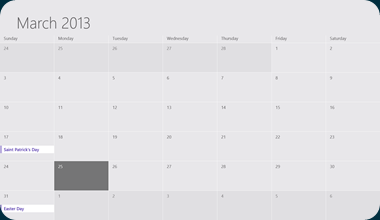
The Calendar app now comes with a workweek-only view that shows just Monday through Friday, this is similar to Google Calendar.

You also see dateline showing where you are in the day, great to glance and see the time slot when it comes to making your appointments.

Last but not least, the People app received the fewest improvements. You now can post to your Facebook contacts right from the app, this can save you some time and makes it very fluid. You can also sort out to show “What’s New” page from your social network.
You should see the new update show up in your Store apps. Once you update your Mail, People and Calendar apps, give them a try and see what new feature works best for you.


